
Instant Video Downloads Overview.
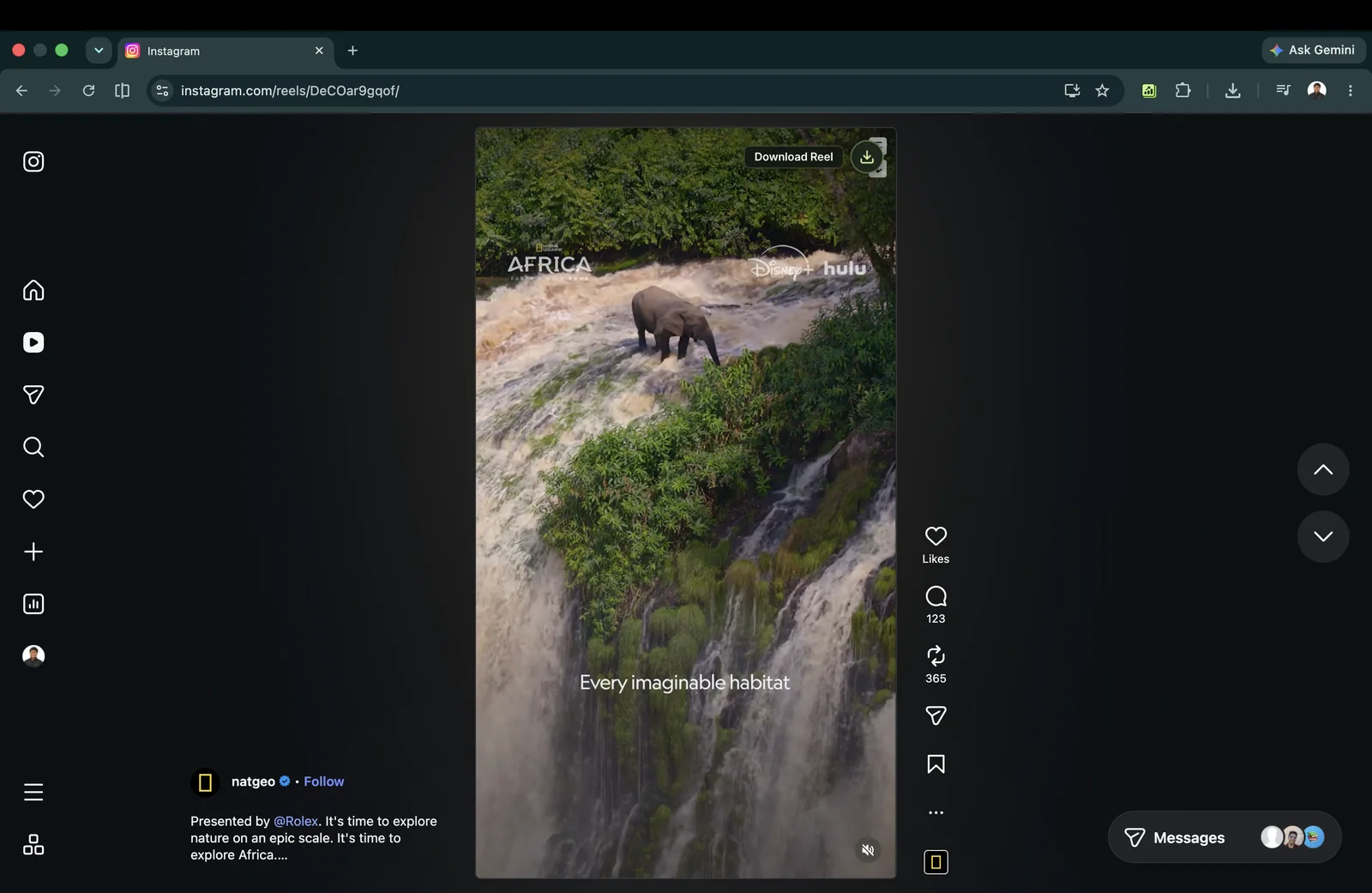
Rank Kiwi version 1.0.1 introduces direct video downloading on Instagram. When analyzing competitor feeds or researching trending video formats on Instagram's Explore page, you can save reference MP4 files directly to your machine with a single click.
Unlike generic web downloaders filled with intrusive pop-up ads and re-encoding watermarks, Rank Kiwi accesses the pristine MP4 stream already buffered by your browser, preserving original frame rate, vertical 9:16 aspect ratio, and audio quality.
Supported Locations: Works on both the Instagram Explore feed (instagram.com/explore/) and any creator profile's Reels tab (instagram.com/[username]/reels/).
How to Download Videos.
-
Navigate to Explore or a Creator's Reels Grid: Open Instagram in Google Chrome with the Rank Kiwi extension enabled. Go to either
instagram.com/explore/or any public creator profile and click their Reels tab. -
Spot the Download Action Button: Hover over any visible video thumbnail or open the video in modal view. You will see the Rank Kiwi overlay button with a download icon and tooltip prompt.
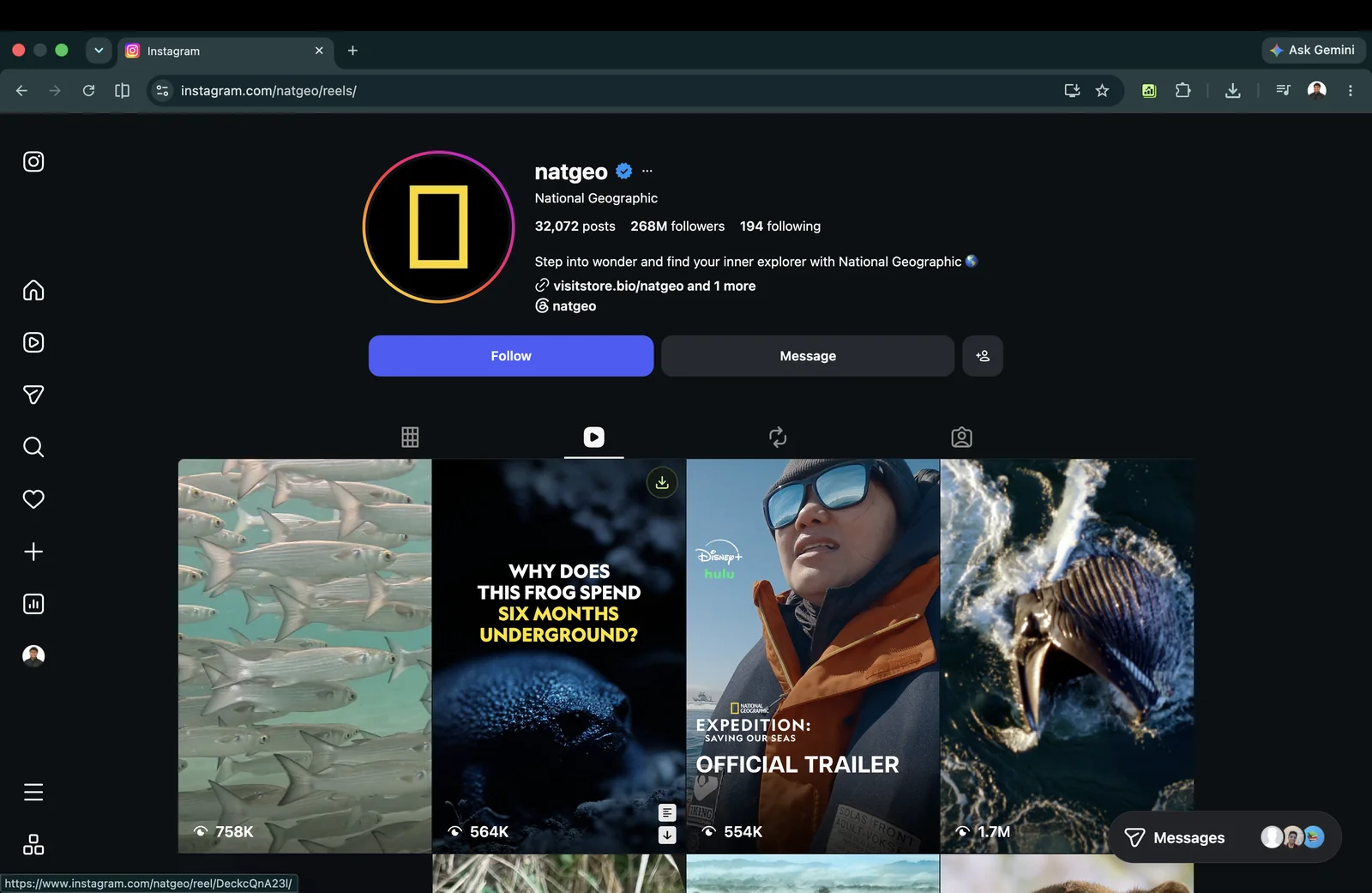
Download icon button shown on an individual Reel card on the creator's Reels tab. 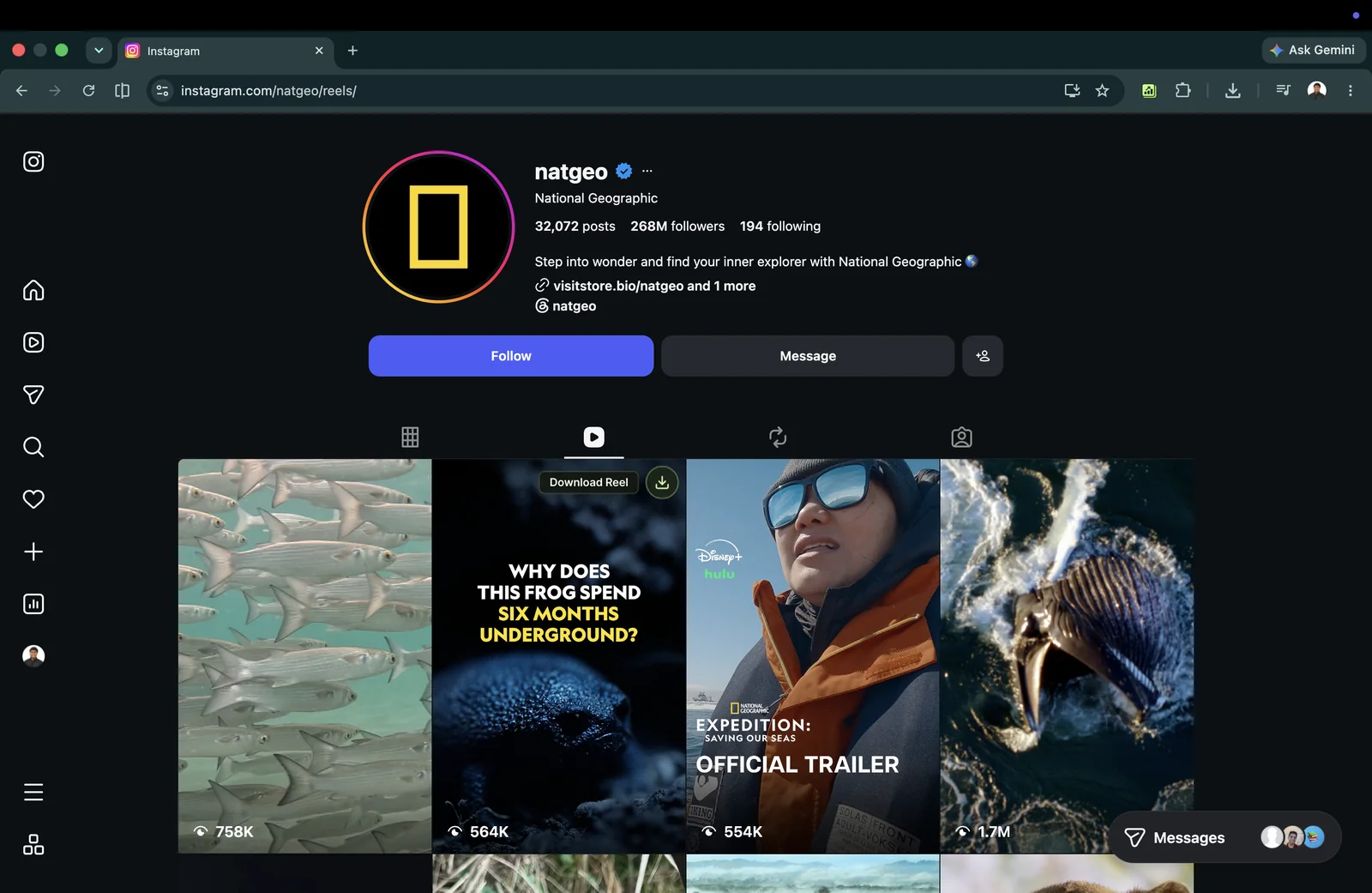
Tooltip prompt indicating one-click Reel video download capability. -
Click Download: Rank Kiwi resolves the original CDN media URL and invokes Chrome's native
chrome.downloadsAPI.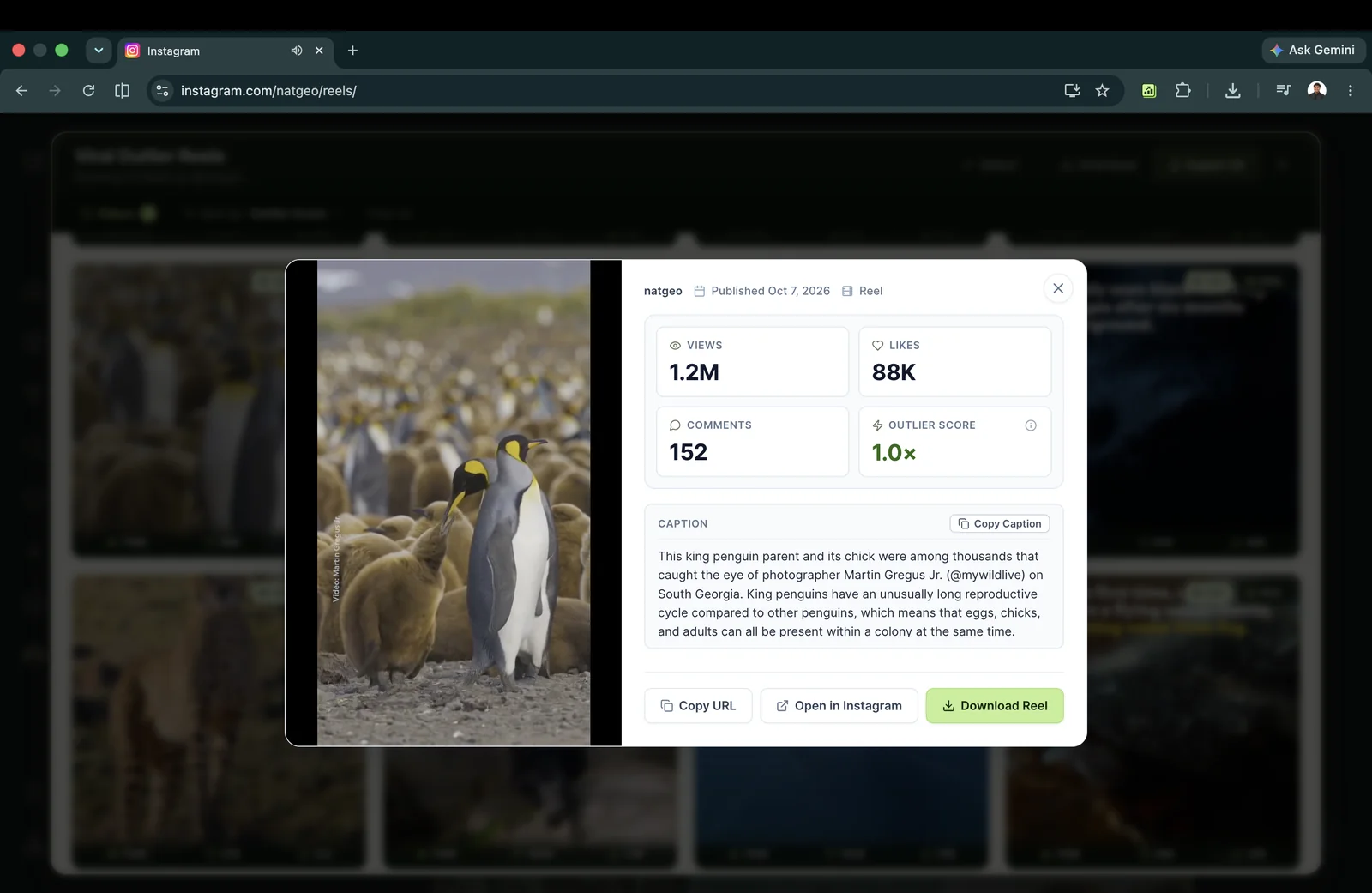
Download button inside the Reel preview overlay for saving the original video stream. -
Locate File on Your Disk: The video saves directly to your default browser downloads directory. The filename automatically includes the creator handle and shortcode for effortless organization:
[creator]_[shortcode]_outlier.mp4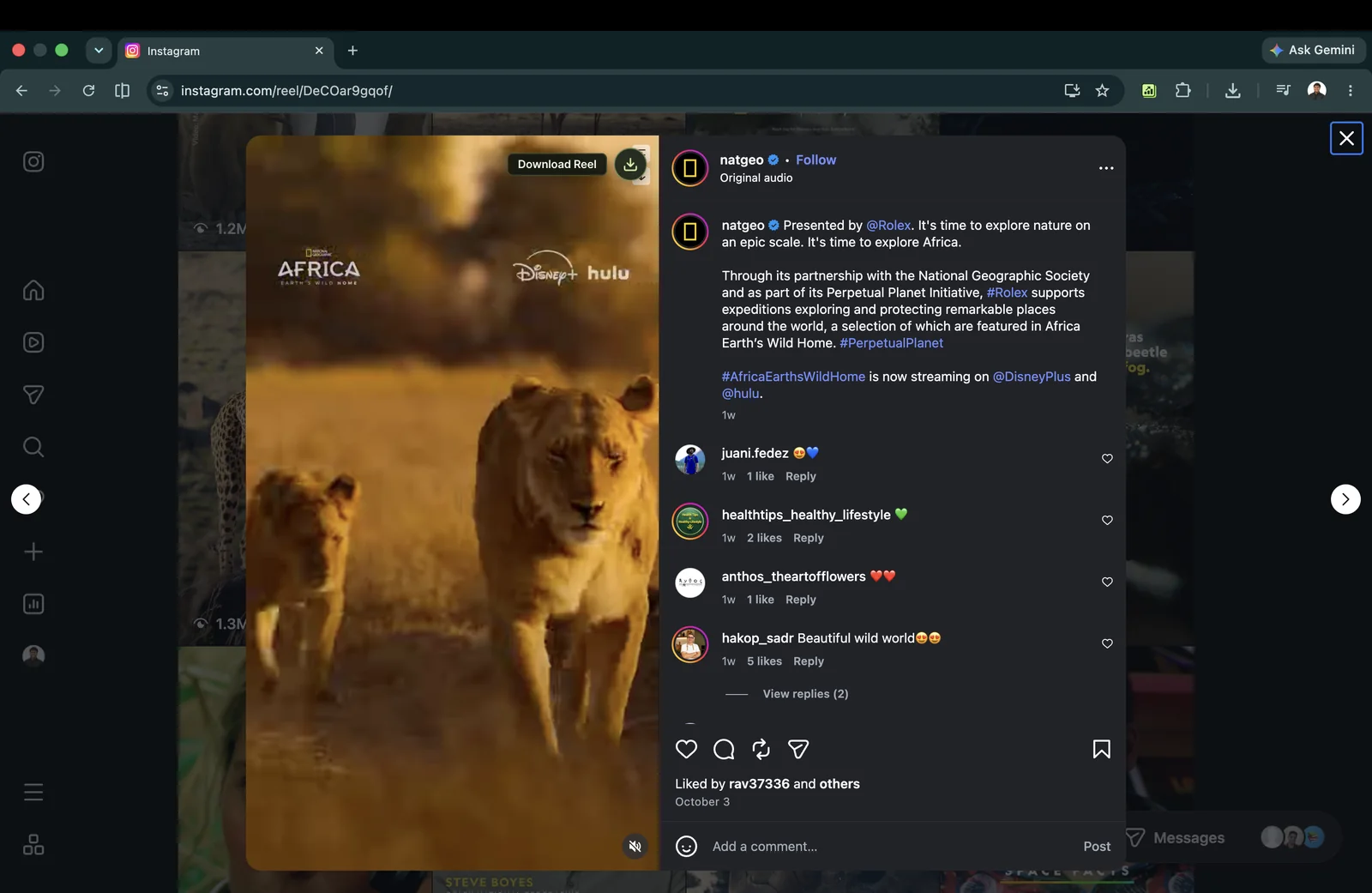
Single Reel video download button located directly on the content card.
Why Creators Download References.
Frame-by-Frame Hook Analysis
Import the MP4 into Adobe Premiere Pro, Final Cut, or CapCut to inspect exact cut pacing, text graphic keyframes, and sound effect timing.
Production Moodboarding
Build offline reference folders for video production crews and client pitch presentations without broken Instagram web links.
Audio Transcription & Modeling
Extract spoken hooks using Whisper or AI transcribers to study linguistic patterns in breakout videos.
Zero-Proxy Client-Side Privacy Guarantee
Security and data privacy are paramount in Rank Kiwi's design:
- No Remote Proxy Servers: Many third-party download extensions route your web requests through third-party servers to scrape videos. Rank Kiwi never routes video data through external servers.
- Local Chrome Sandbox: The download originates strictly between your Chrome browser and Meta's public content delivery network (CDN).
- Zero Credential Access: Rank Kiwi never touches your Instagram session cookies, auth tokens, or passwords.
Troubleshooting Common Download Issues
If you download several reference videos in rapid succession, Chrome may ask for permission to download multiple files from instagram.com. Click Allow in the browser prompt to continue.
Rank Kiwi v1.0.1 is strictly optimized for video content. The download action only appears on video Reels, not static photo posts or single-image carousels.
Rank Kiwi operates exclusively on public Instagram creator profiles. Content behind private follower walls is intentionally inaccessible.
Still stuck? We're here to help.
If a video fails to download or you experience unexpected behavior, send diagnostic info directly to founder Bhavishya Singla. Please include:
• Browser: Google Chrome (Desktop)
• Instagram Page URL (e.g. instagram.com/explore/ or creator handle)