Overview: How Rank Kiwi Works on Instagram
Rank Kiwi analyzes public Instagram creator and business profiles directly within your Chrome browser.
When you visit an Instagram profile, Rank Kiwi identifies the creator handle, scans visible media items from the DOM, extracts public engagement data, and calculates the creator's median benchmark to surface breakout Reels.
Zero Account Requirements: Rank Kiwi does not ask for your Instagram password, does not connect via private user tokens, and does not perform background actions on your personal account. All scanning operates passively on public page data.
Reels Tab vs. Main Profile Grid
To get the most accurate results, it is important to understand how Instagram structures profile content across different tabs.
The Reels Tab (`/reels/`) — Strongly Recommended
Navigating directly to instagram.com/username/reels/ is the optimal way to research video creators. On this tab:
- Instagram displays public view/play counts on every Reel video thumbnail.
- Rank Kiwi can calculate precise view-to-median Outlier Scores for every single item.
- All items share the same video format, ensuring an apples-to-apples performance comparison.
The Main Profile Grid (`/`)
The main profile grid contains mixed media: multi-image carousels, static single photos, and Reels. However:
- Instagram generally does not expose view counts on static photos or carousels; it only exposes like counts and comment counts.
- When analyzing mixed feeds, Rank Kiwi benchmarks video views where available and engagement counts where views are omitted by the platform.
Instagram Metrics Reference
The table below details all metrics Rank Kiwi extracts from public Instagram surfaces:
| Metric |
Source on Page |
Availability |
How Rank Kiwi Uses It |
| Views / Plays |
Reel thumbnail overlay |
Public on Reels tab |
Primary numerator for Outlier Score calculation |
| Like Count |
Post preview / modal |
Public when not hidden by creator |
Engagement ratio analysis and sorting |
| Comment Count |
Post preview / modal |
Public unless comments disabled |
Discussion depth benchmark |
| Publication Date |
Post timestamp tag |
Public metadata |
Recency filtering and chronological sorting |
| Caption & Hooks |
Post description text |
Public caption body |
Copywriting analysis and hook deconstruction |
| Outlier Score |
Calculated locally |
When views & median exist |
Measures post performance vs creator median |
Instagram Custom Filters
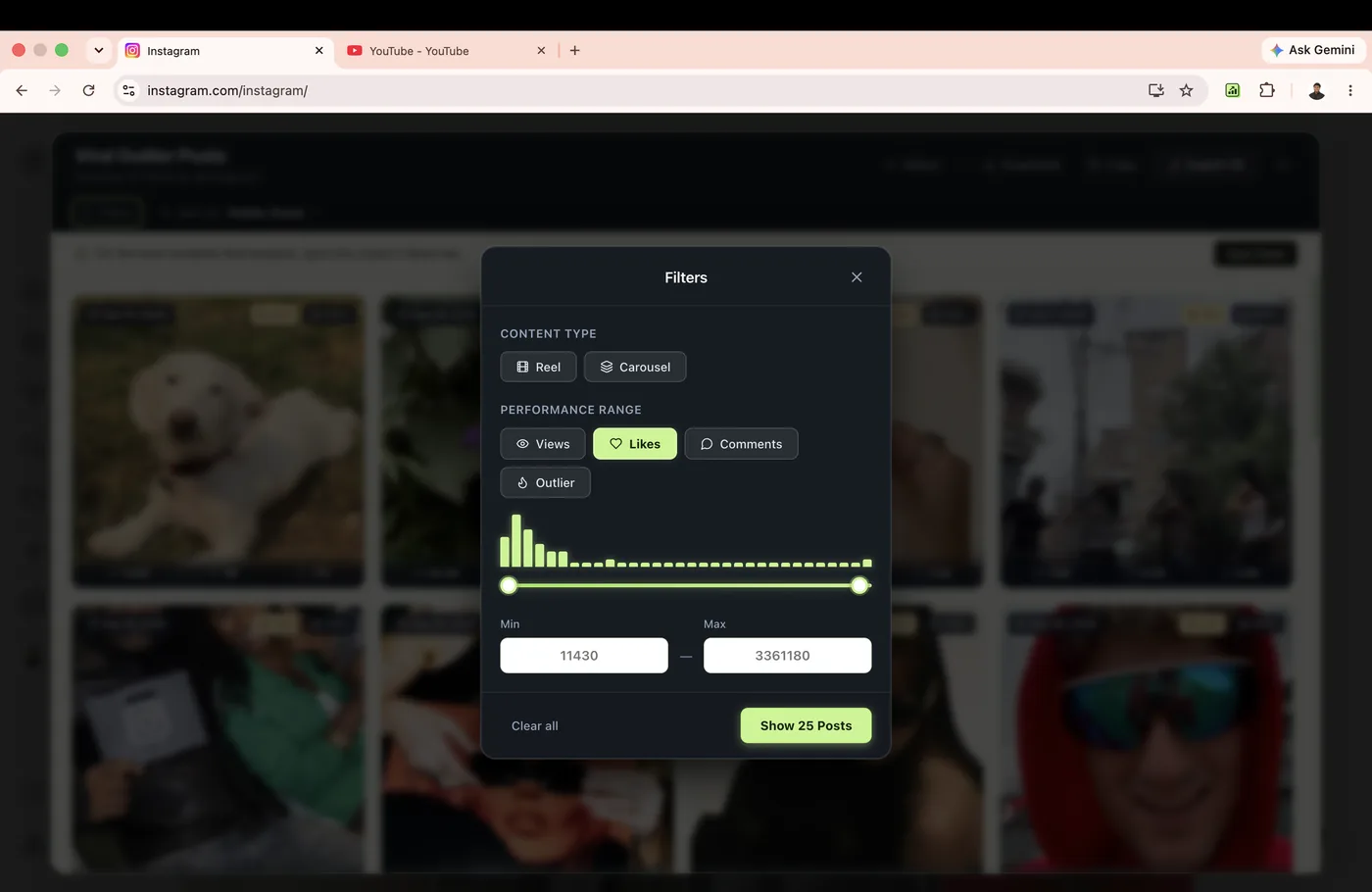
Filter noisy feeds to isolate specific formats and viral thresholds.
Rank Kiwi provides dedicated filters for Instagram creator catalogs:
- Content Type: Toggle between Reels only, Photos only, or Carousels only.
- Outlier Threshold: Show only items with an Outlier Score of
2.0×, 3.0×, or 5.0×+.
- Date Windows: Filter to posts published within the last 30, 60, or 90 days to avoid comparing year-old viral spikes with recent baseline shifts.
Instagram Platform Boundaries & Limitations
Rank Kiwi respects platform constraints and works strictly with publicly accessible data.
Private Profiles
Rank Kiwi cannot scan private Instagram accounts. If a creator account requires follow approval, the post DOM is protected by Instagram's authentication wall and cannot be collected.
Hidden View or Like Counts
If a creator has explicitly utilized Instagram's privacy setting to "Hide like and view counts" on a specific post, Instagram omits that number from the public DOM. Rank Kiwi marks that specific field as unavailable rather than inventing a number.
Instagram Layout Updates
Instagram periodically rolls out experimental DOM updates. If Rank Kiwi ever fails to detect a profile or encounters an updated selector, check our Instagram Troubleshooting Guide or reload the page.