Supported Sorting Orders
Rank Kiwi supports multiple sorting dimensions to answer different research questions:
| Sort Option |
What It Measures |
When to Use It |
| Outlier Score (High to Low) |
Relative performance multiplier vs. median |
Default setting; ideal for finding breakout viral hooks that beat baseline distribution |
| Views (High to Low) |
Total raw reach and audience size |
Evaluating absolute scale and highest total view volume |
| Likes (High to Low) |
Direct positive feedback volume |
Identifying posts with high emotional resonance and affinity |
| Comments (High to Low) |
Discussion depth and interaction |
Spotting polarizing, debate-driving, or question-based formats |
| Newest First |
Chronological publication order |
Examining current content direction and recent creator iterations |
| Oldest First |
Earliest published items in sample |
Studying evergreen formats and earlier catalog performance |
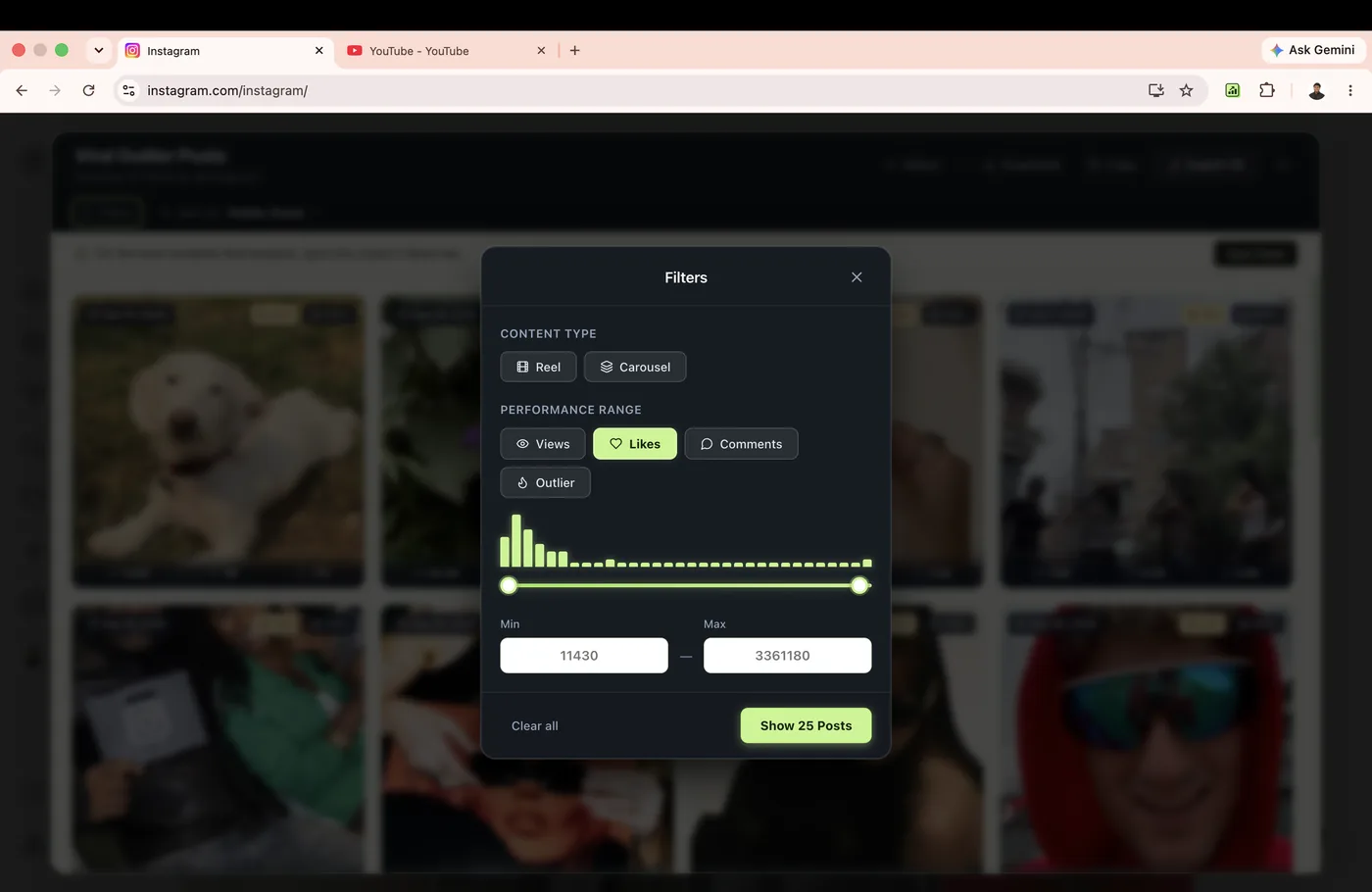
Custom Filters
Open the filter panel to remove noise and isolate specific content formats.
Filter by Content Type
On mixed creator feeds, toggle between individual formats:
- Reels / Shorts: Isolate vertical short-form video content.
- Posts & Carousels: Review static graphics, educational carousels, and image posts.
- Long-Form Videos: On YouTube, focus exclusively on full channel uploads.
Filter by Outlier Multiplier
Set minimum performance thresholds to narrow large catalogs:
2.0×+ — Shows only videos that doubled typical creator performance.3.0×+ — Concentrates on top 10% strong performers.5.0×+ — Restricts results to true top 1% viral anomalies.
Date Range Windows
Benchmark against relevant creator timeframes.
Creators evolve rapidly. A post that went viral two years ago might have operated under vastly different algorithmic rules or follower baselines than posts from this month.
Rank Kiwi's date filter allows you to restrict the active view to:
- Last 30 Days: Instant view of current viral hooks and timely trends.
- Last 90 Days: Standard quarter research window for consistent content planning.
- All Time (Sample Scope): Explores historical breakout winners across the analyzed batch.
Recommended Research Filter Recipes
Proven filter combinations used by professional social researchers:
Recipe 1: The "Breakout Hook" Filter
Goal: Find short-form video hooks that dramatically exceeded typical creator distribution within the last 60 days.
- Content Type:
Reels Only
- Outlier Score:
≥ 3.0×
- Date Range:
Last 60 Days
- Sort Order:
Outlier Score (High to Low)
Recipe 2: The "High-Engagement Discussion" Filter
Goal: Find topics that generated intense community discussion, debates, or questions.
- Sort Order:
Comments (High to Low)
- Date Range:
Last 90 Days
- Action: Inspect the Content Details modal to examine the closing question or prompt.